



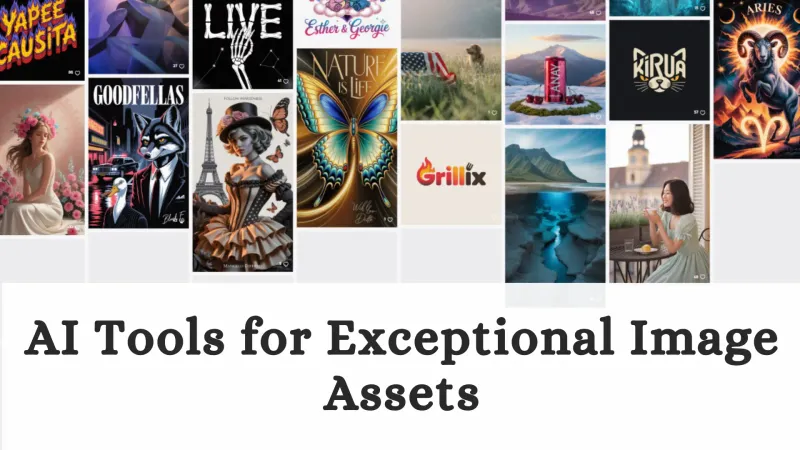

In traditional image production, even minor creative changes could take hours or days to redo. Today, AI image generation powered by large language models is transforming this process.
With advanced AI image generators, designers can create high-quality visuals and data visualizations simply by describing them in natural language—fundamentally changing how images are produced.
How AI Image Generation Improves Design Efficiency
AI improves image production efficiency in two key ways:
1. Streamlining Traditional Processes
- AI eliminates much of the communication and trial-and-error involved in traditional design workflows, reducing the “request–proposal–feedback” cycle to a single prompt.
- Previously, it took hours of manual drawing for one creative direction. With AI image generation tools, designers can generate dozens of style, composition, and tone variations within minutes, enabling faster creative exploration.
- For standardized graphics, background generation, and element extension, AI tools for visual creation can handle these tasks with a single click, allowing designers to focus on creative direction, allowing designers to focus on creative direction.
2. Empowering Non-Professionals
- AI image generation lowers the barrier to entry, allowing non-designers to create illustrations, diagrams, and social media assets without mastering complex software.
- When combined with dynamic data sources, AI image generation can automatically create visually appealing, real-time data visualizations, eliminating the cumbersome process of manually updating chart styles.

AI liberates creators from heavy manual labor, allowing them to focus on strategy, description, and selection. This represents a fundamental shift in how creative work gets done.
Best AI Image Generators: Midjourney, Fooocus, and Ideogram
After discussing how AI image generation fundamentally enhances creative efficiency, a practical question arises: Which tools on the market can truly turn this potential into reality? Here are three highly regarded, yet diverse AI generators to help you find the right tool for your visual workflow.
Midjourney
Midjourney is one of the most popular AI image generators for high-quality, artistic visuals. It runs through Discord and is known for its cinematic image quality, excelling in lighting, materials, and composition.
Price: Offers annual or monthly subscriptions, with the basic plan costing about $10 per month, including a certain amount of fast generation time. It is a popular investment for professional creators and studios.

Fooocus
This open-source tool based on Stable Diffusion is becoming a secret weapon for tech enthusiasts and designers seeking ultimate customization.
Its core concept is "focus and simplicity" - it provides carefully optimized default settings, allowing users to generate high-quality images without complex parameters.
Its biggest advantage is being completely free, offline-capable, and offering deep customization and access to thousands of community models.
Price: Completely free and open source. Requires a certain technical foundation for local deployment (with detailed installation guides), but once running, it can be used without limits.

Ideogram
Ideogram is an AI image generator known for its accurate text rendering, making it ideal for logos, slogans, and marketing visuals. Ideogram's core breakthrough lies in its exceptionally precise text rendering capabilities.
When dealing with images that require clear presentation of words, slogans, and logos, it far surpasses similar tools. The interface is intuitive and the generation speed is very fast.
Price: Currently completely free to use, with a slight watermark on the generated images. It is an excellent free choice for creating marketing materials and social media content with text designs.

These tools demonstrate the diversity and specialization trend of the AI image generation ecosystem. The final choice depends on your core needs. In any case, they are all ready to transform your imagination into visual reality with remarkable speed and efficiency.
If you need to quickly integrate AI-generated images, data visualizations, and data insights into a professional presentation, AI presentation generation tools like Smallppt can directly meet this demand. They enable a one-stop workflow from "idea - image - complete presentation".
Real-World Applications of AI Image Generation
AI image generation tools are widely used across marketing, data visualization, education, and product design, significantly improving workflow efficiency.
1. Rapid iteration of advertising and marketing content
Marketing teams use AI image generators, directly inputting product descriptions and audience keywords optimized by large language models (LLMs), to instantly generate a vast number of stylized advertising images, social media posters, and banners.
This addresses many of the limitations of traditional workflows, which rely on designers making repeated modifications over a long period of time, and has become a core creative partner for efficient AI tools for designers and marketers.
2. Personalized data storytelling
Analysts and content creators are no longer satisfied with dull charts. They use AI image generation technology to transform complex data visualizations into vivid, metaphorical visual scenes. LLMs translate raw data into clear visual concepts and generate precise image description instructions, making reports and articles more engaging and memorable.
3. Education and concept visualization
Teachers and trainers find it difficult to explain abstract concepts with words or simple illustrations. Now, they can describe concepts to an AI image generator to create accurate, exaggerated, or stylized teaching diagrams, or even generate a series of images to form a visual story.
This makes complex concepts easier to understand and more engaging.
4. Product and UI design prototyping
During the concept stage, designers use AI tools for designers to quickly brainstorm interface visual effects, icon styles, or product forms.
By conversing with LLM-driven tools, they can quickly obtain multiple visual directions, significantly accelerating the early exploration process.

Together, these examples show that AI image generation is no longer just theoretical, becoming a real driving force for production and creation in various fields that require precise, efficient, and creative visualization.
AI Image Generation Tips: How to Get Better Results
These strategies help you get more precise results from any AI image generator.
1. Prompt Engineering: From "What" to "How"
Advanced Description: Instead of just saying "a knight", try describing it as "a knight in weathered armor standing in a misty forest, with side backlighting, cinematic feel, epic fantasy style, rich in detail".
Use adjectives, scenes, lighting, artistic styles, and image quality keywords to construct the picture.
Use negative prompts: Clearly state what you don't want, such as "blurred, deformed hands, watermarks, extra fingers", which can effectively guide the AI to avoid common pitfalls and improve the accuracy of the generated image.
2. Use Large Language Models for Conceptualization and Optimization
Before inputting your ideas into the AI image generation tool, you can first use a large language model (LLM) like ChatGPT to brainstorm and refine your description.
3. Iteration and Fusion
Seed Value: When generating a satisfactory image, note its "seed value". Fine-tune the prompt and keep the same seed to explore different variations of the same composition.
Image-to-Image: Most tools support uploading reference images to influence the composition, color, or style of the new image. This is a powerful method to quickly solidify initial inspiration and an efficient way to transform sketches, mood boards, or existing data visualizations into new artistic styles.
4. Breaking Scenes into Manageable Layers
Generate the background first, then the foreground subject, and finally composite them in an image editing software.
Many AI-powered design tools also have built-in functions such as local redrawing and expansion. Make good use of these control methods to precisely adjust the image rather than aiming for perfection in one go.

These techniques turn AI models into an extension of your creative workflow. Now, open your chosen tool and start this efficient creative dialogue.
FAQs About AI Image Generation
Q1: How do beginners get started with AI image generators?
Start by choosing a user-friendly, freemium tool like Ideogram or Midjourney to experiment without significant investment. Begin with simple text prompts describing a clear subject, style, and setting, then progressively refine your descriptions based on the results. Consistent practice and studying the work of others are the fastest ways to learn.
Q2: How do large language models (LLMs) improve AI image generation?
LLMs act as a powerful "creative translator" by deeply understanding and expanding your natural language instructions into highly detailed, structured descriptions that the image AI can process. This allows you to generate complex scenes, maintain narrative consistency, and even refine prompts for better results.
Q3: How can I create data visualizations with AI image generators?
First, use an LLM to analyze and summarize your key data insights into a vivid visual metaphor (e.g., "growth as a climbing mountain"). Then, input this descriptive prompt into an AI image generator to create unique, engaging visual representations that go beyond standard charts. The images can then be fine-tuned or integrated with traditional graphs.
Q4: What are the best prompt engineering tips for AI image generators?
Be specific and structured: include details on subject, medium, style, lighting, and composition. Use iterative refinement—start broadly, then zoom in or vary specific areas of a promising result. Experiment with style references and technical parameters for greater control.
