Turn your files into slides in seconds with AI
Upload Word, PDF, or other files, and Smallppt’s File to PowerPoint feature instantly turns key content into a clean, well-designed presentation.


Instant results
Tons of templates
One-click replace
Online editing
Trusted by over 10 million users around the world





Try these presentation tools
Create, convert, and design slides effortlessly with AI PowerPoint Generator.
How do you turn a simple idea into a full-on presentation? Try Smallppt
Just upload your document, and let Smallppt’s powerful AI PowerPoint Generator turn it into a clean, beautifully designed presentation in minutes.
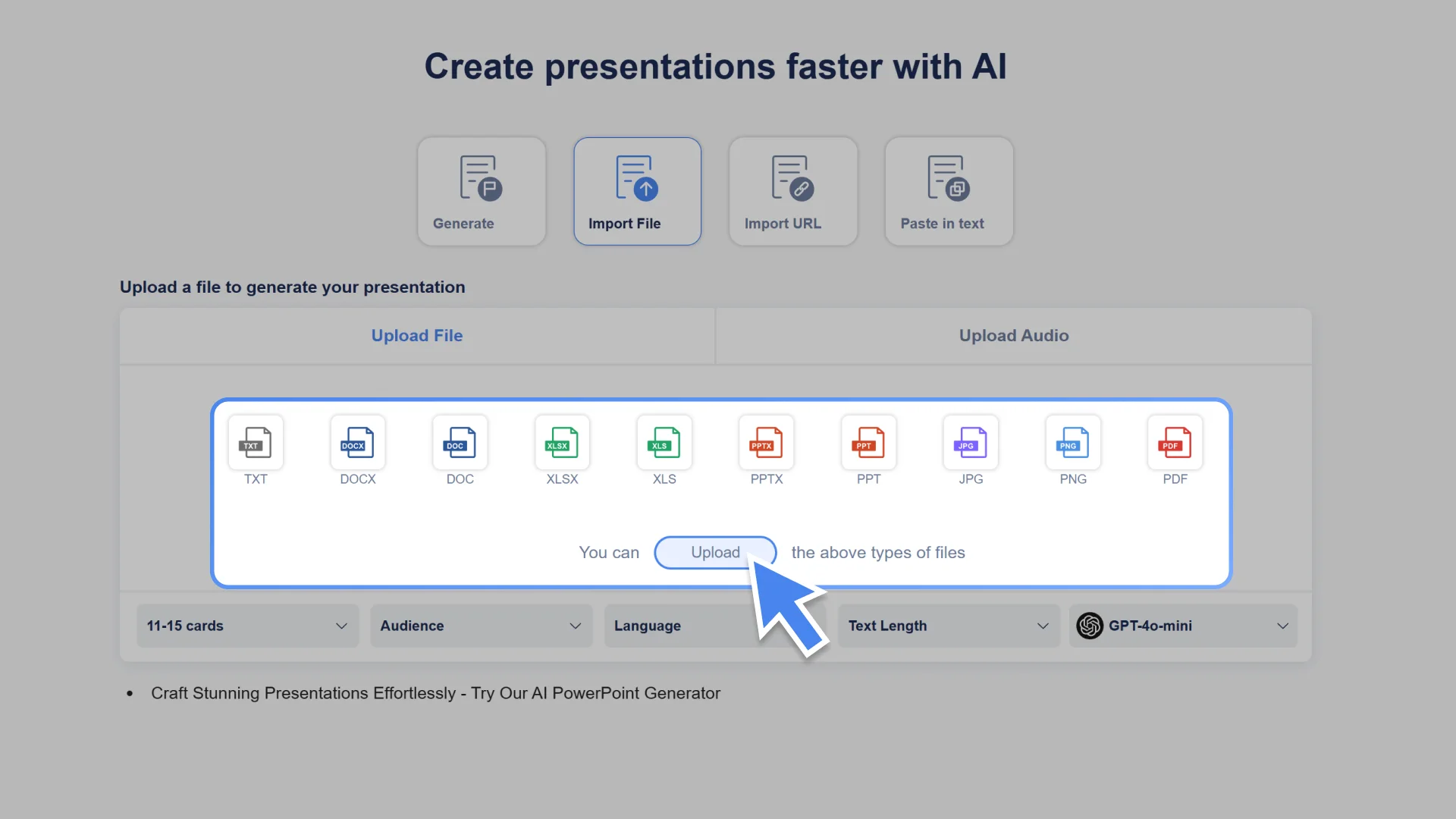
Step 1: Choose "Import File" to get started
From the different input options, pick the "File to PowerPoint" method to upload your document.
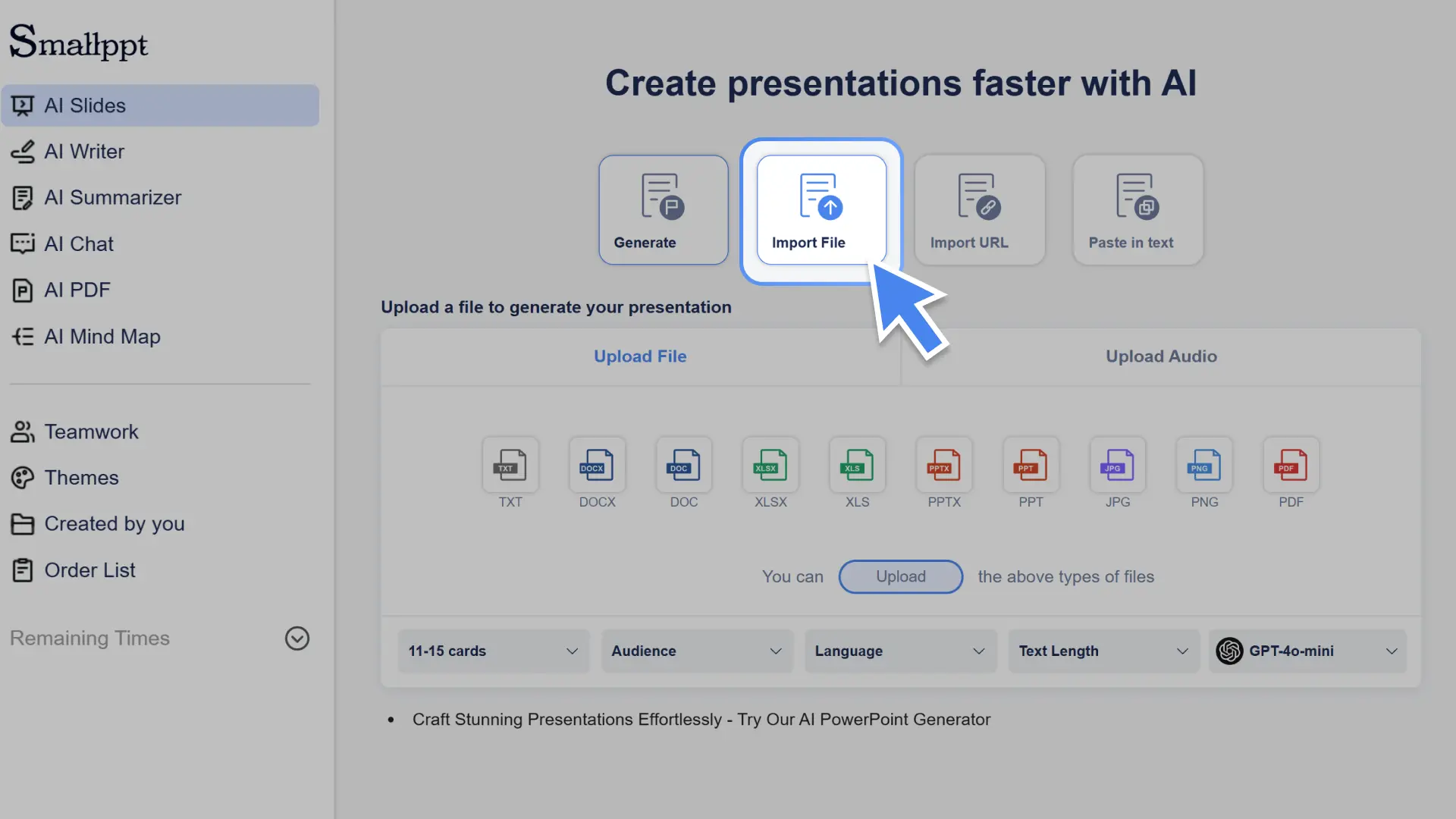
Step 2: Upload your document
Drop in your Word, PDF, or other supported file, and our AI PowerPoint Generator will automatically scan the content and build a solid structure for your slides.
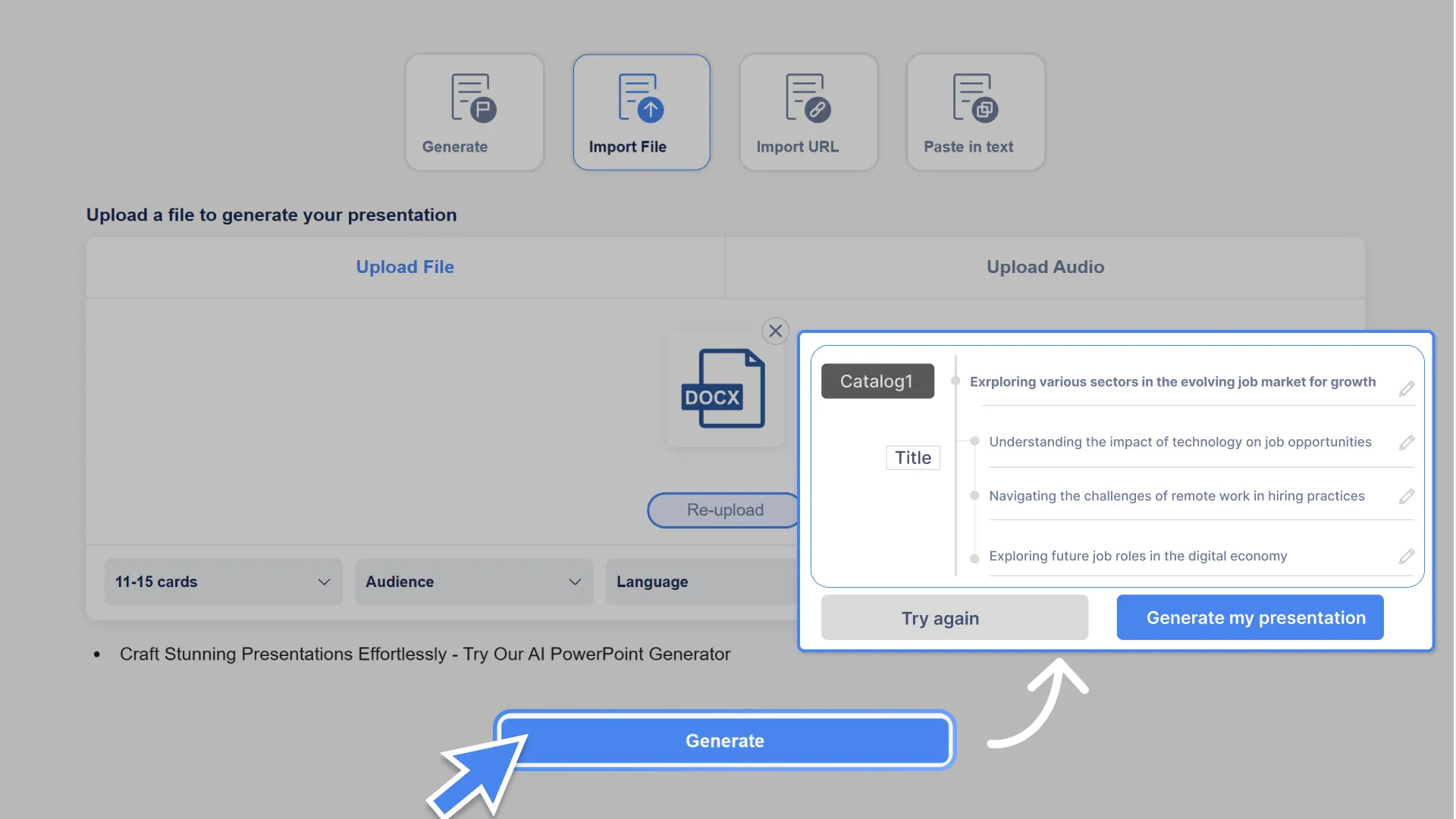
Step 3: Generate your outline
Hit "Generate" and let Smallppt’s AI PowerPoint Generator whip up a clean, focused structure for your presentation—fast, clear, and totally on point.
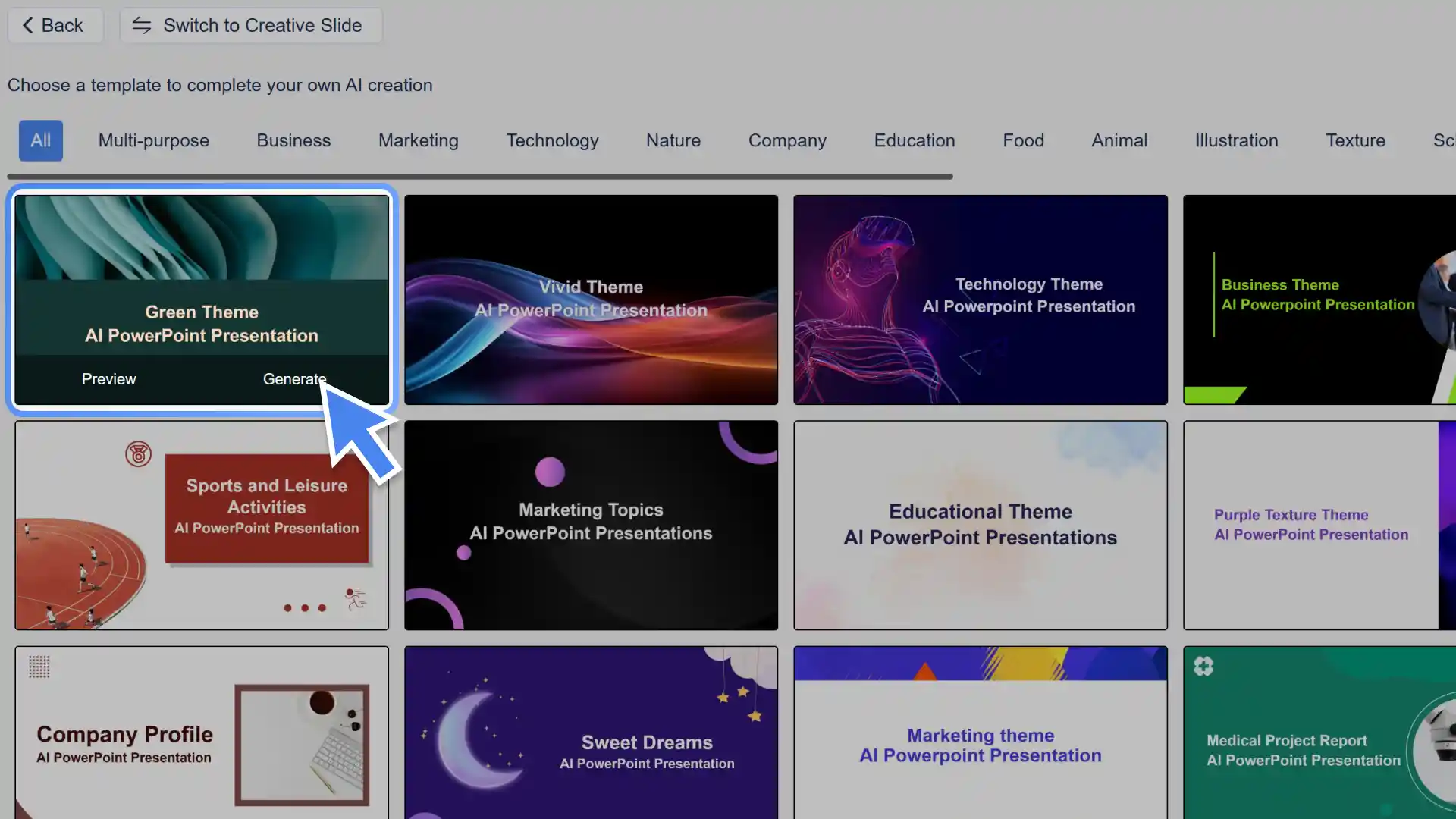
Step 4: Pick a slide template
Choose the one that fits your content and style best from our recommended templates, and the system will automatically match the layout and animations for you.
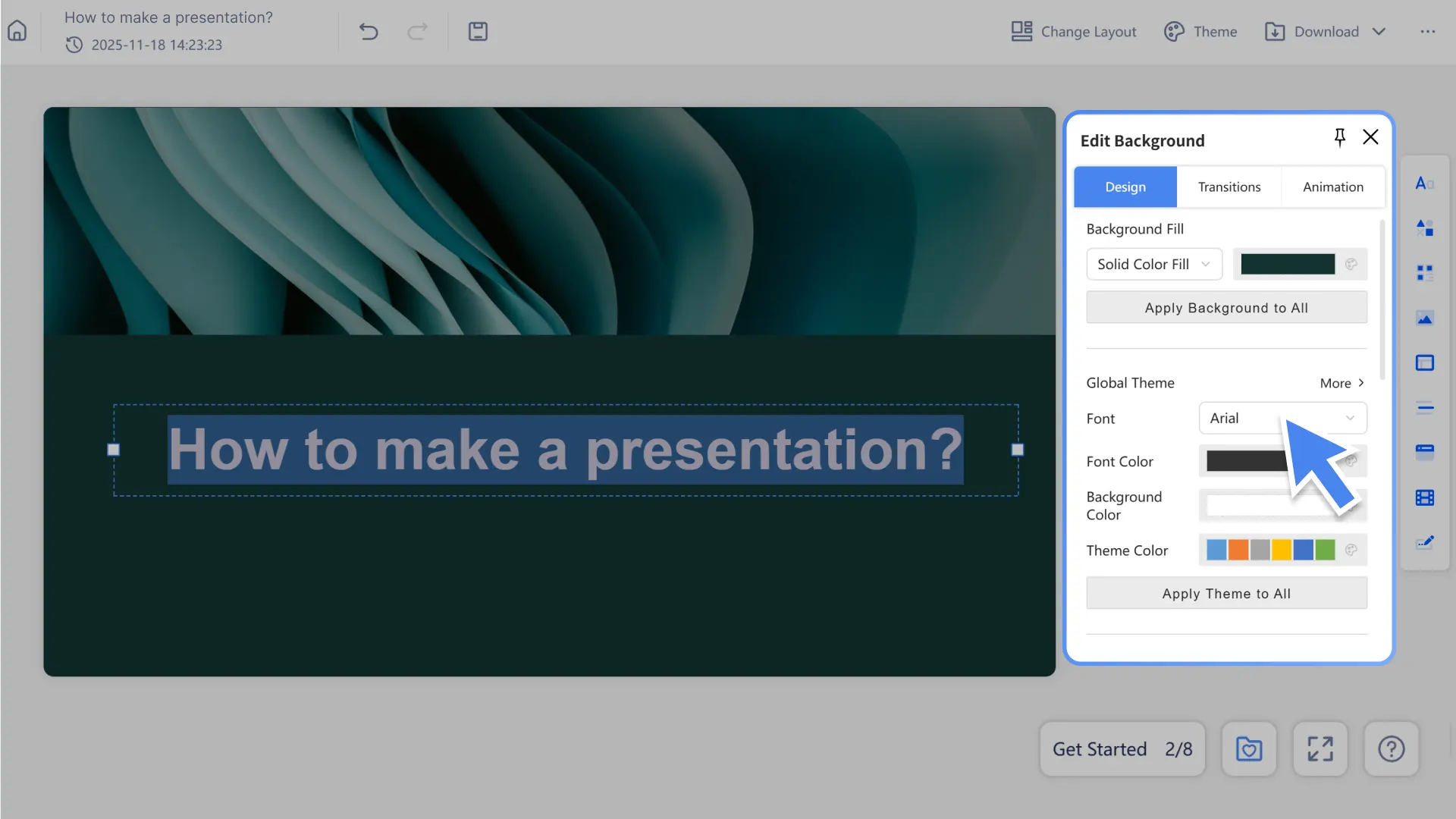
Step 5: Edit and polish as you like
With Smallppt’s AI PowerPoint Generator, jump into the slide editor to tweak text, images, or structure. Add new slides freely and fine-tune the details until it feels just right.
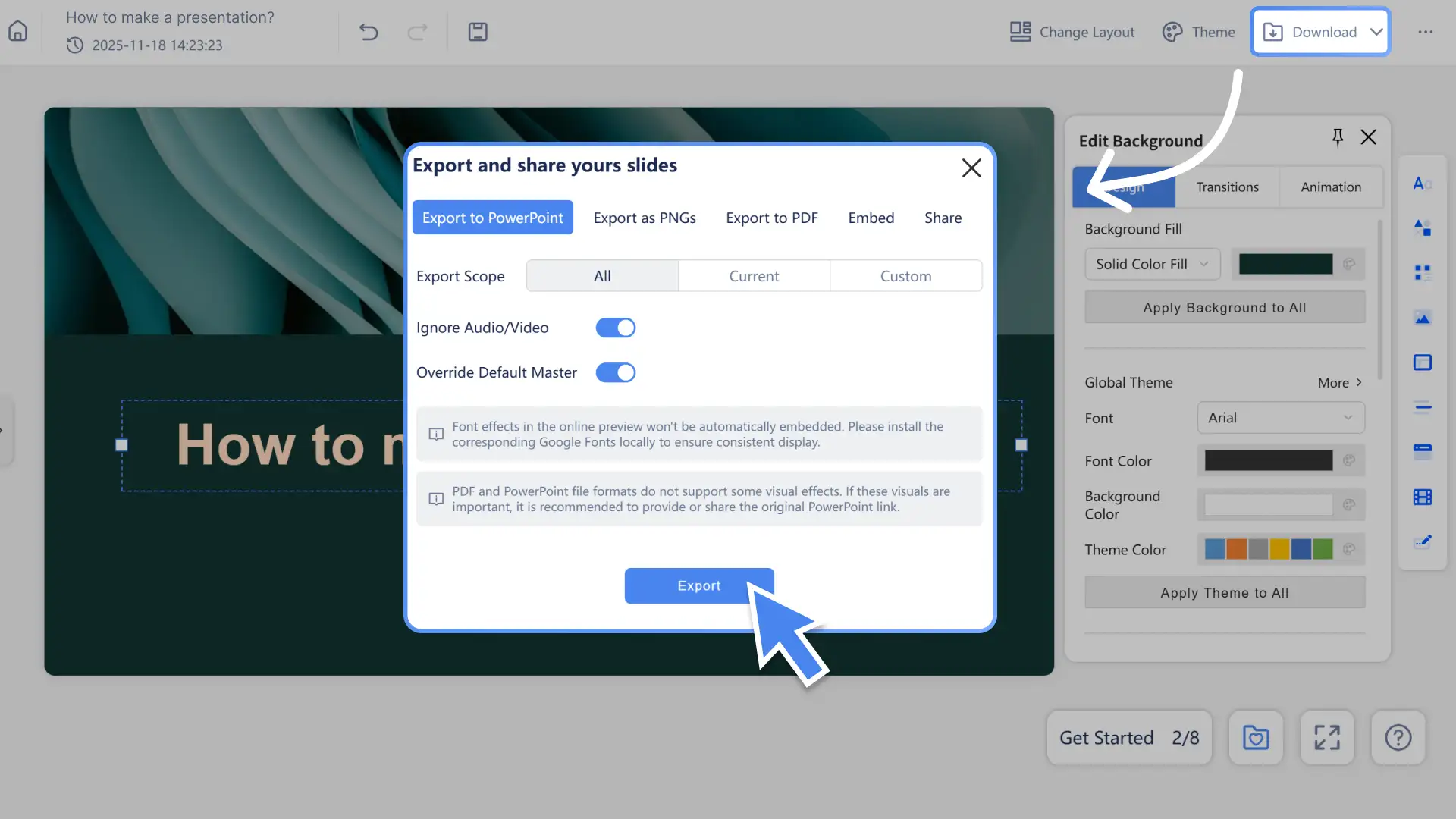
Step 6: Export or share
Once you’re done, you can export your presentation as a PPTX or PDF file, or simply share a link to let your team view or collaborate on it together.